v1.0.0 for Windows
Stop remote access trojans before they take control.
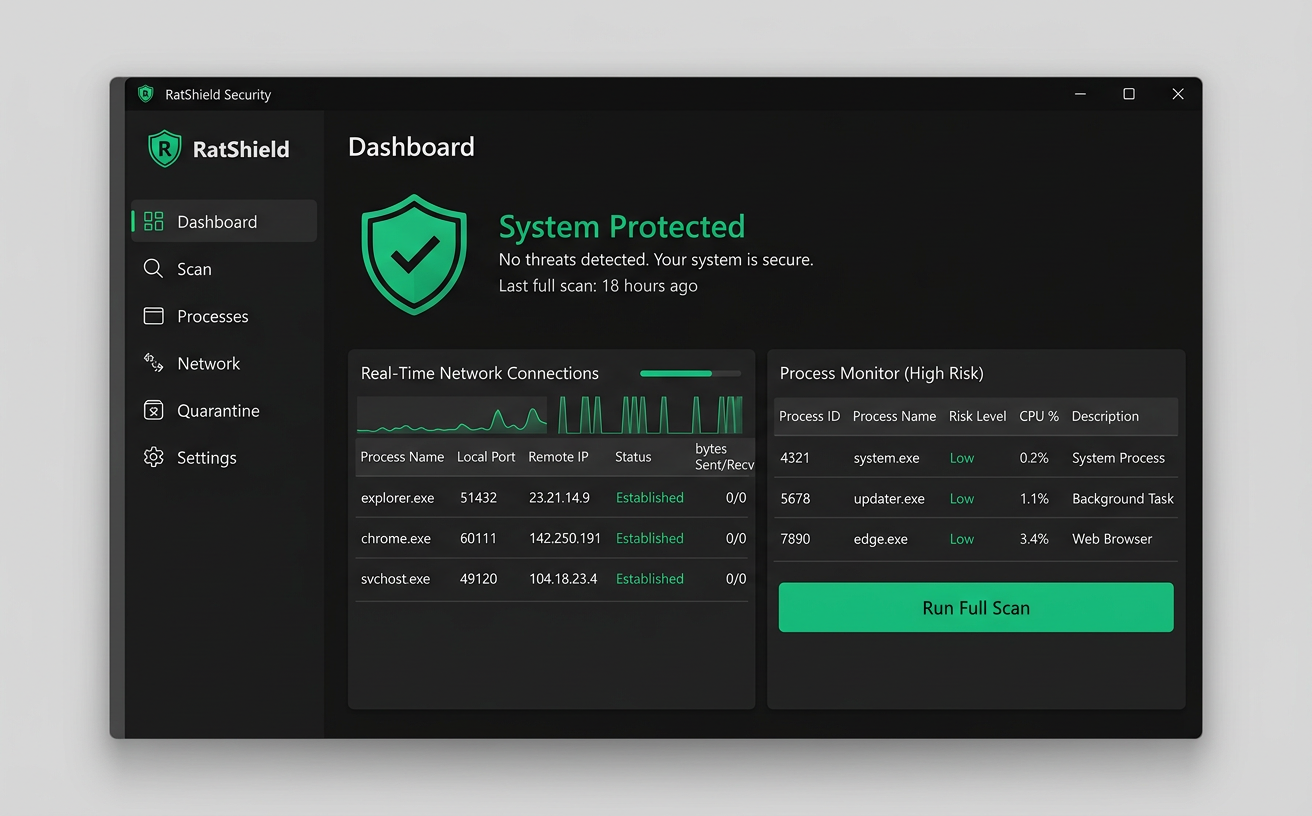
RatShield watches your Windows PC for the tell-tale signs of a RAT — hidden processes, suspicious outbound connections, and sneaky startup entries — and shuts them down before anyone can spy on you.
RatShield-Setup.exe · 12 MB · Windows 10 / 11 (64-bit)
What it does
Everything a RAT needs to survive, RatShield watches.
A Remote Access Trojan lets an attacker secretly control your computer — reading files, logging keystrokes, and watching through your webcam. RatShield covers every stage of how they get in and stay in.
Process monitoring
Continuously inspects running processes for unsigned binaries, injected code, and programs hiding in temp or AppData folders.
Network watch
Flags unexpected outbound connections, reverse shells, and traffic to known command-and-control servers.
Startup protection
Audits registry Run keys, scheduled tasks, services, and startup folders where RATs hide to survive a reboot.
Webcam & mic alerts
Notifies you the moment an unknown app tries to access your camera, microphone, or capture your screen.
One-click quarantine
Kill the process, block its connection, and move the file into an isolated quarantine you can restore at any time.
Lightweight
Runs quietly in the system tray using minimal CPU and memory, so you stay protected without slowing down.
How it works
Four layers between you and an attacker.
- 01
Scan
On launch, RatShield performs a full sweep of running processes, loaded modules, startup locations, and open network ports.
processes · services · registry · ports
- 02
Analyze
Each item is scored using signature matching against known RAT families plus behavioral heuristics — like a hidden window that opens a socket and logs keys.
signatures + behavior heuristics
- 03
Monitor
After the first scan, RatShield keeps watching in real time. New processes, new connections, and new startup entries are checked the moment they appear.
real-time, low overhead
- 04
Respond
When a threat is found, you get an alert with the details. Terminate it, block its network access, and quarantine the file in one click.
kill · block · quarantine
Download RatShield for Windows
Get protected in under a minute. The installer is a single executable — no account or sign-up required.
- Version
- 1.0.0
- Size
- 12 MB
- Format
- .exe
System requirements
- Windows 10 or Windows 11 (64-bit)
- 2 GB RAM or more
- 100 MB free disk space
- Administrator rights for installation
Installation
- 1Download RatShield-Setup.exe using the button.
- 2Open the file. If SmartScreen appears, choose "More info" then "Run anyway".
- 3Follow the installer and launch RatShield.
- 4Click "Run Full Scan" to check your PC.
FAQ
Questions
What is a RAT?
A Remote Access Trojan is malware that gives an attacker hidden, remote control of your computer. It is often disguised as a game mod, crack, or harmless attachment.
Does RatShield replace my antivirus?
No. RatShield is designed to work alongside Windows Defender or your existing antivirus, adding a focused layer of protection against remote access tools.
Why does Windows SmartScreen warn me?
SmartScreen shows a warning for newer apps that have not yet built up download reputation. Click "More info" and then "Run anyway" to continue.
Will it slow down my PC?
RatShield is lightweight and runs in the system tray. Real-time monitoring uses very little CPU and memory.
Can I restore something that was quarantined?
Yes. Quarantined files are kept in an isolated folder and can be restored or permanently deleted from the Quarantine tab.